Clean up the drums
Reduce unwanted sound between kick, snare and tom hits. Shape their attack and decay, and compare the result with the original as you listen.
Take your Suno songs further.
Produce from or recreate Suno and other AI-generated songs. Separate the instruments, then split drums into kick, snare, toms, hi-hat, ride and crash. Export separate tracks or send them to StrumWorks Studio for drum and bass MIDI.
One-time purchase. No subscription.
macOS 14+ · Apple silicon · Runs locally
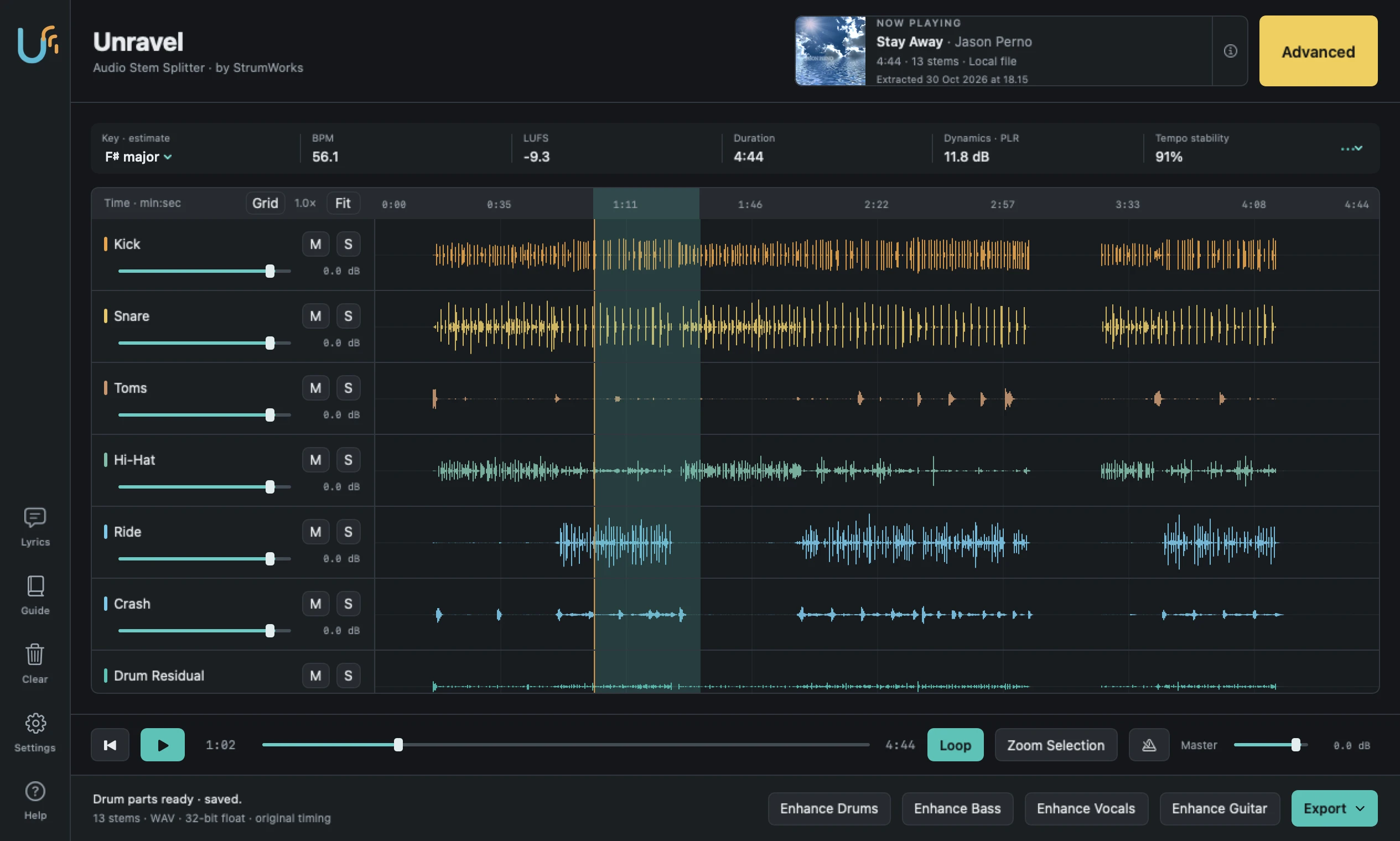
Drop in audio or video. Fast models separate vocals, drums, bass, guitar, piano and other audio. Listen straight away, then split the drums further or enhance the parts you need.
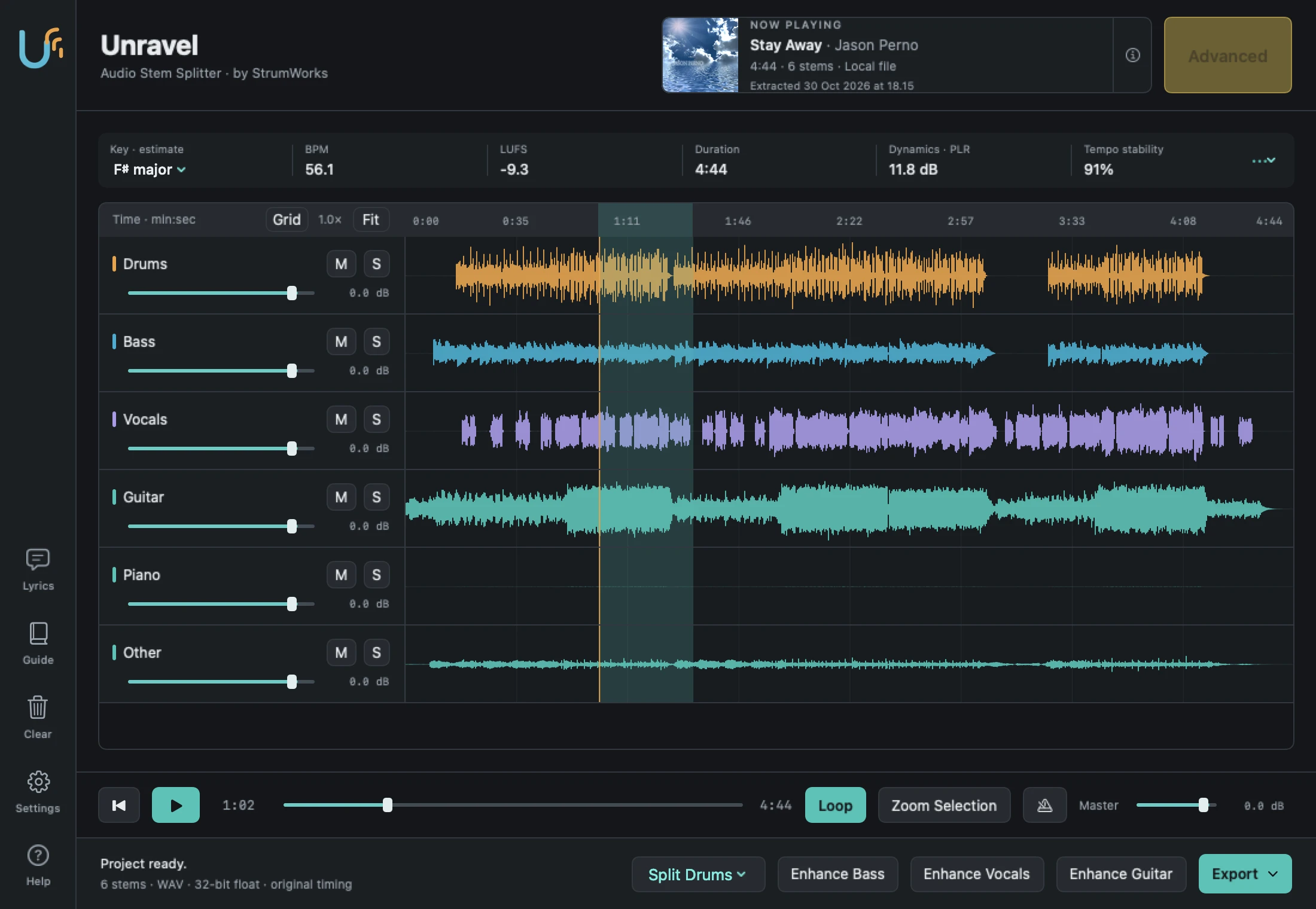
Separate the drums into kick, snare, toms, hi-hat, ride and crash. Listen, clean up and export each part.
Want cleaner, more detailed stems? Enhance Drums, Bass, Vocals and Guitar use additional, more detailed models to improve those parts. They take longer than the fast split and run entirely on your Mac. Choose only the parts you want to enhance.
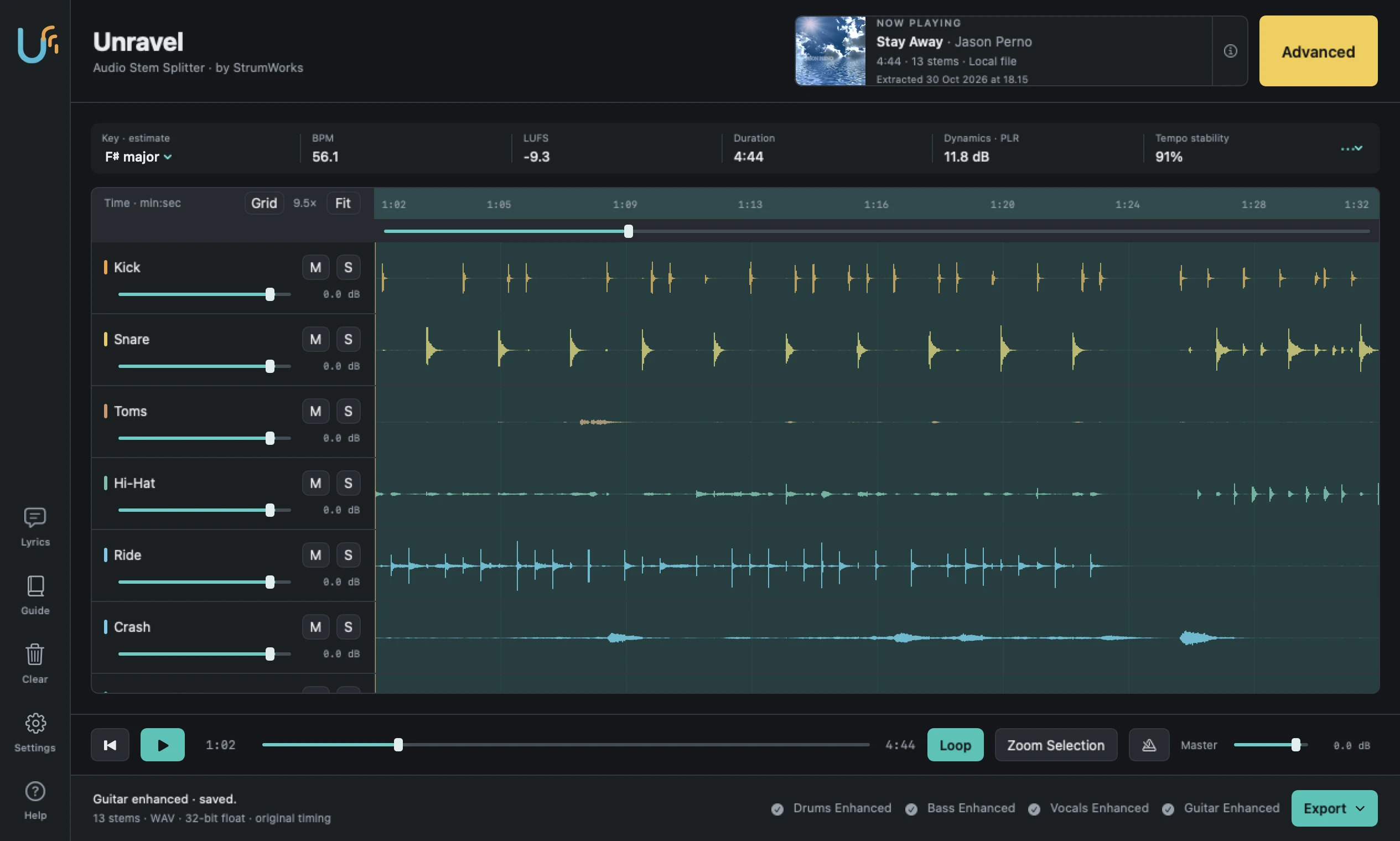
Reduce unwanted sound between kick, snare and tom hits. Shape their attack and decay, and compare the result with the original as you listen.
Check estimated key, tempo, loudness, dynamics and tempo stability. Adjust the key or beat grid without changing the audio. Practise with loops, zoom and a metronome.
Follow timed lyrics or click a line to jump there. Look up track and artist details. Imported video plays and loops in sync with the stems.
Projects save automatically. Reopen your song with its mix and edits, without separating it again.
Export separate tracks or send them to StrumWorks Studio in one click. Turn drums and bass into editable MIDI and play them through your own virtual instruments.
Explore StrumWorks StudioDownload Unravel here and try every tool for free. The demo and licensed version are the same app. Download it whenever you need it; a licence unlocks export.
Everything works except export. When you’re ready, click Unlock Export, buy through Polar and enter your licence key in Unravel.
Enter your licence key to export each selected track as a separate WAV or MP3 file, or send the tracks directly into StrumWorks Studio.
Your tracks stay in time, with your drum cleanup included.
Requires macOS 14 or later and Apple silicon (M1 or later). Song and drum splitting work on 8 GB Macs; 16 GB or more is recommended for enhancements. Models download on first launch and when you first use an enhancement. Audio separation runs locally; your recordings are never uploaded.
Separate songs, split the drums and clean up the parts. Pay once to unlock export. No subscription.
Scroll across to compare all six tools.
| Feature | Unravel | Suno (12-stem split) | Moises | ReStem 2 | Yurt Rock Pick Pocket | Fadr |
|---|---|---|---|---|---|---|
| Buy once. No subscription. | Yes | NoPaid subscription | NoPaid subscription | YesCore / Pro licence | YesStandalone licence | NoPlus subscription |
| Separate vocals, bass and instruments | YesSix song stems | YesPro / Premier | Yes | NoDrum separation | NoDrum audio-to-MIDI | Yes |
| Separate kick and snare audio | Yes | No | YesPro | Yes | NoMIDI detection | YesPlus |
| Separate toms, hi-hat, ride and crash | Yes | No | PartlyToms, hi-hat and grouped cymbals (Pro) | Yes | NoMIDI detection | NoKick / snare split |
| Drum bleed and transient controls | Yes | Not listed | Not listed | YesPro | NoNot an audio stem editor | Not listed |
| Send tracks directly to StrumWorks Studio | YesDrum and bass MIDI workflow† | Not listed | Not listed | Not listed | Not listed | Not listed |
† StrumWorks Studio is a separate purchase.
“Not listed” means the linked maker documentation does not describe that feature. Features and purchase options checked 1 November 2026. Plans and features can change; see the makers’ pages. Product names belong to their respective owners.
Enter the email you bought with; you'll get a sign-in code. Lost access to that email? Contact support@strumworksstudio.com.
Every tool: six song stems, further drum splitting, Enhance actions, cleanup, mixing, song analysis, saved projects, lyrics, track information and video playback. Export is the only locked feature. Enter a licence key when you’re ready to export.
No. Enter your Polar licence key in the demo to unlock export. Your projects stay as they are. Bought first? Download Unravel from this page and enter your key.
Yes. One licence covers 2 Macs. Open Manage Licence to deactivate an old Mac and free a slot, then activate Unravel on your new Mac.
No. Unravel is a one-time purchase. Download the free demo and try it with your own recordings before buying.
Read the Licence terms, app privacy policy, third-party source code and build details and website privacy and cookie notice.
Email support@strumworksstudio.com with your order details. We recommend trying the demo with your own songs before buying. Read our refund policy.
You need a connection to download models on first launch and when adding enhancements. Audio separation runs locally once its models are installed. Online features such as lyrics and track information need a connection.
Email support@strumworksstudio.com. For licence activations, visit Manage Licence.