Replace
“Convert what was played.”
Convert the drum and bass notes in your stems to MIDI, keeping their timing and dynamics.
Example: replace the kick and snare in the chorus, note for note.
Import stems from Suno, Fadr or your own recordings. Turn drums and bass into MIDI, repair missing notes and play the parts through your own virtual instruments. Export the MIDI to your DAW.
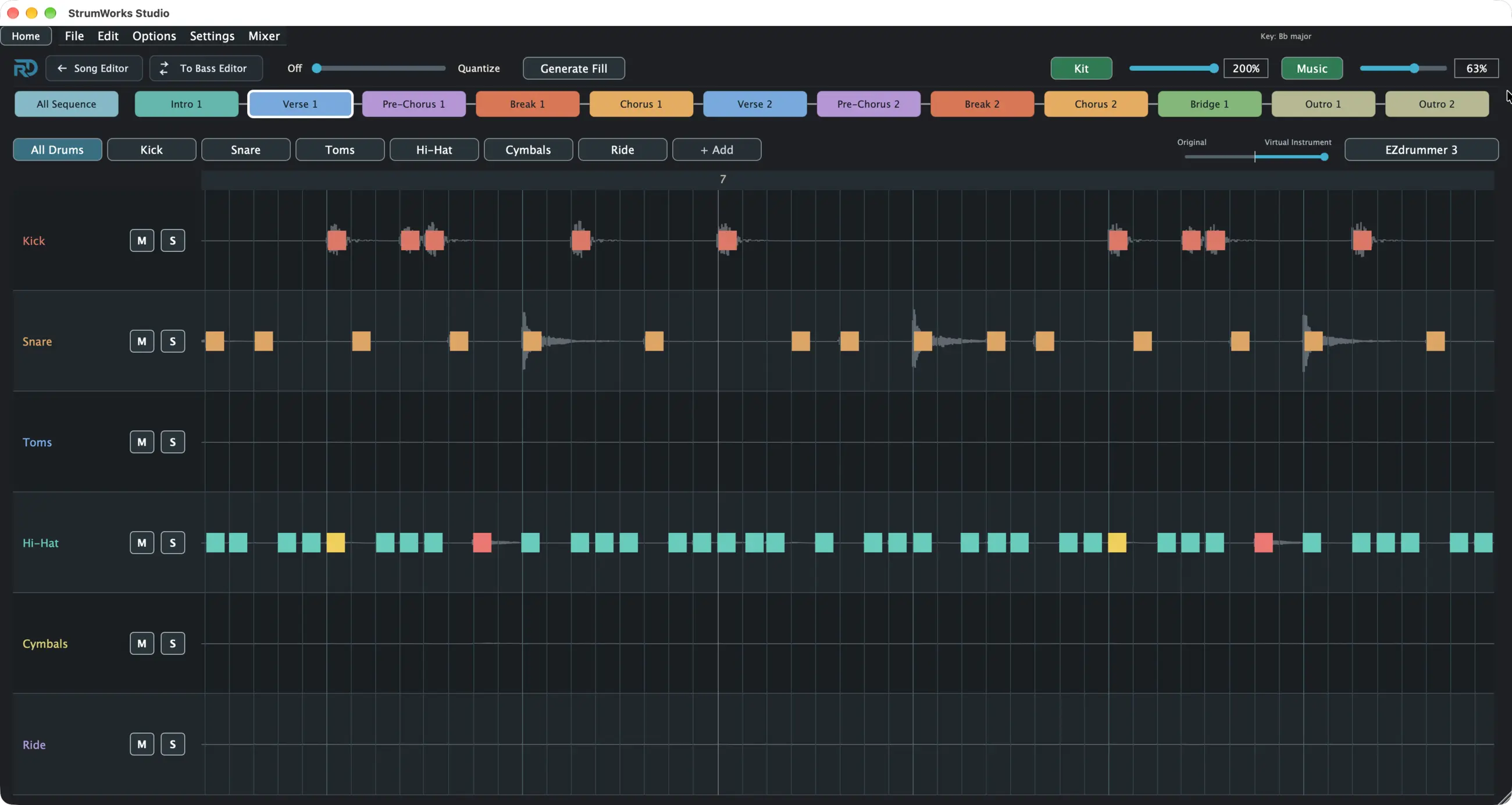
A full-size editor that works through the song section by section.
Bass MIDI can snap to the original kick and snare.
Repair dropped notes or generate new patterns.
“Convert what was played.”
Convert the drum and bass notes in your stems to MIDI, keeping their timing and dynamics.
Example: replace the kick and snare in the chorus, note for note.
“Replace what was missing.”
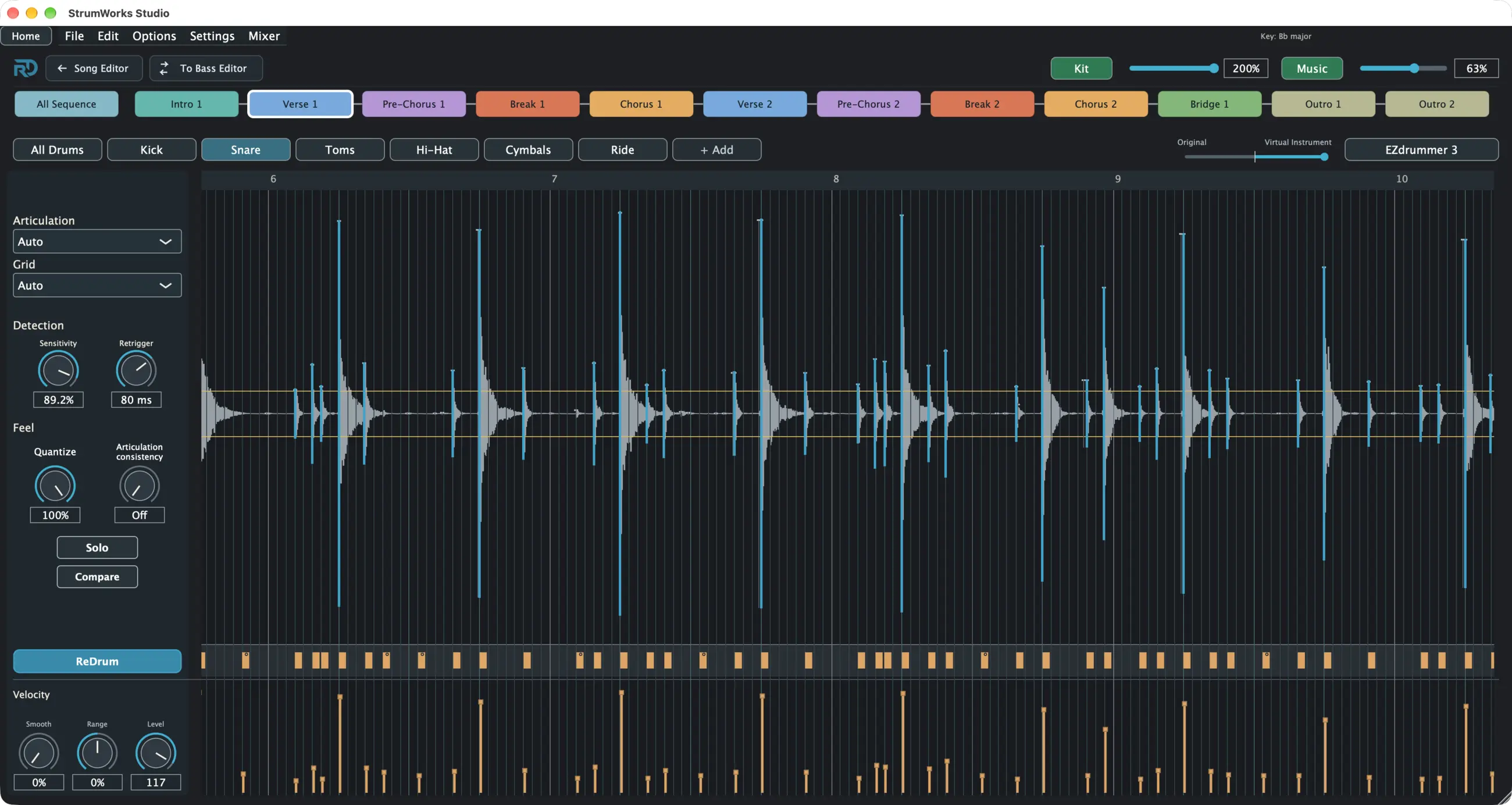
When stem separation loses a hit, ReDrum suggests missing notes from repeating phrases in the song.
Example: fill in hi-hats lost during stem separation.
“Choose a different pattern.”
Want a different part? Choose a built-in groove or generate a drum fill.
Example: select a measure and generate a drum fill.
All three can live in one song, even in one bar. Every note stays editable afterwards.
Add stems from any song and confirm which is kick, snare, hats, bass and the rest.
Find the downbeat and tempo, then mark Intro, Verse, Chorus and the other sections.
Use the tools you need, in any order. They all share one saved song project.
Compare your MIDI instrument with the original audio, then export drum and bass MIDI to your DAW.
Load your drum or bass virtual instrument. Studio maps the notes to its sounds.
Templates include maps for popular drum and bass libraries. Third-party instruments are sold separately and are not affiliated with StrumWorks.
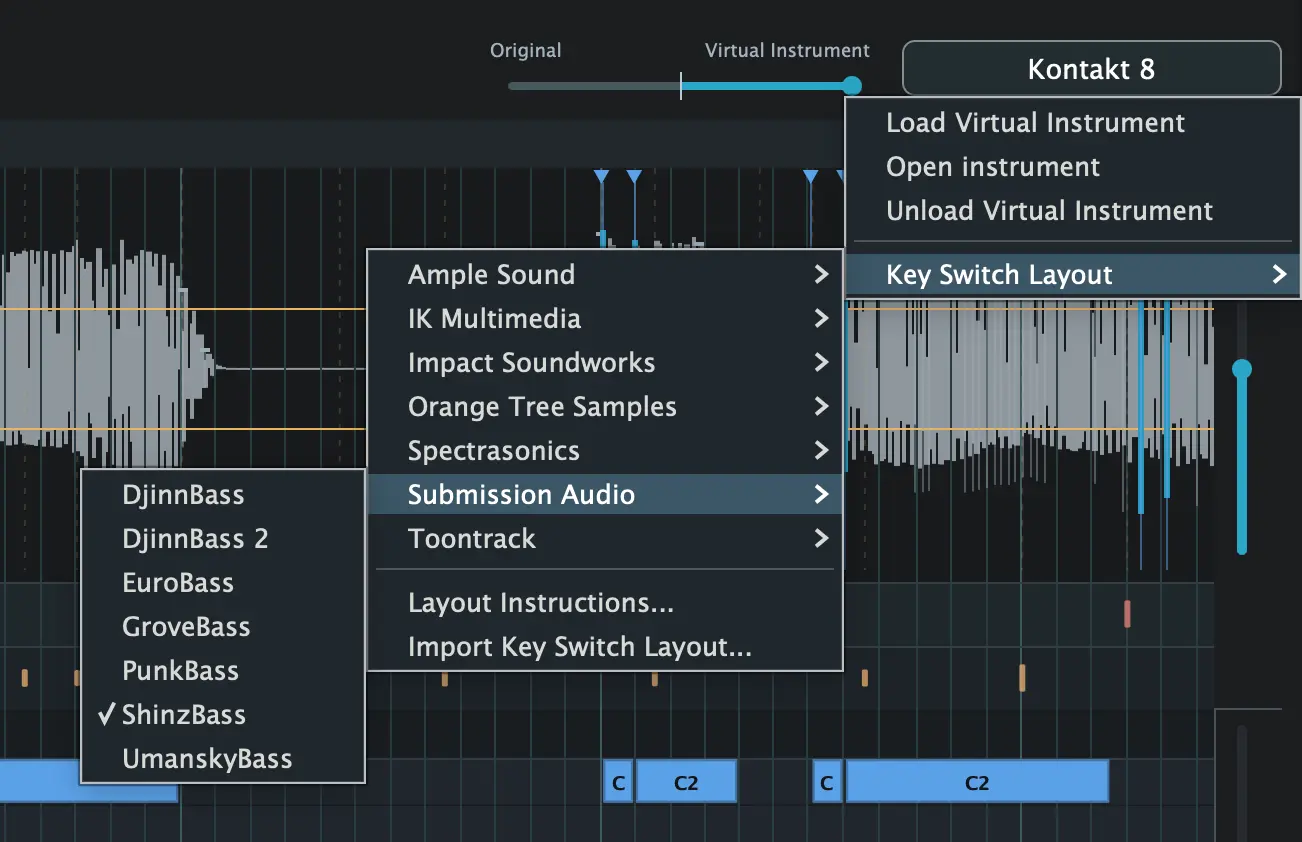
Switch between your virtual instrument and the original audio to compare tone and performance.
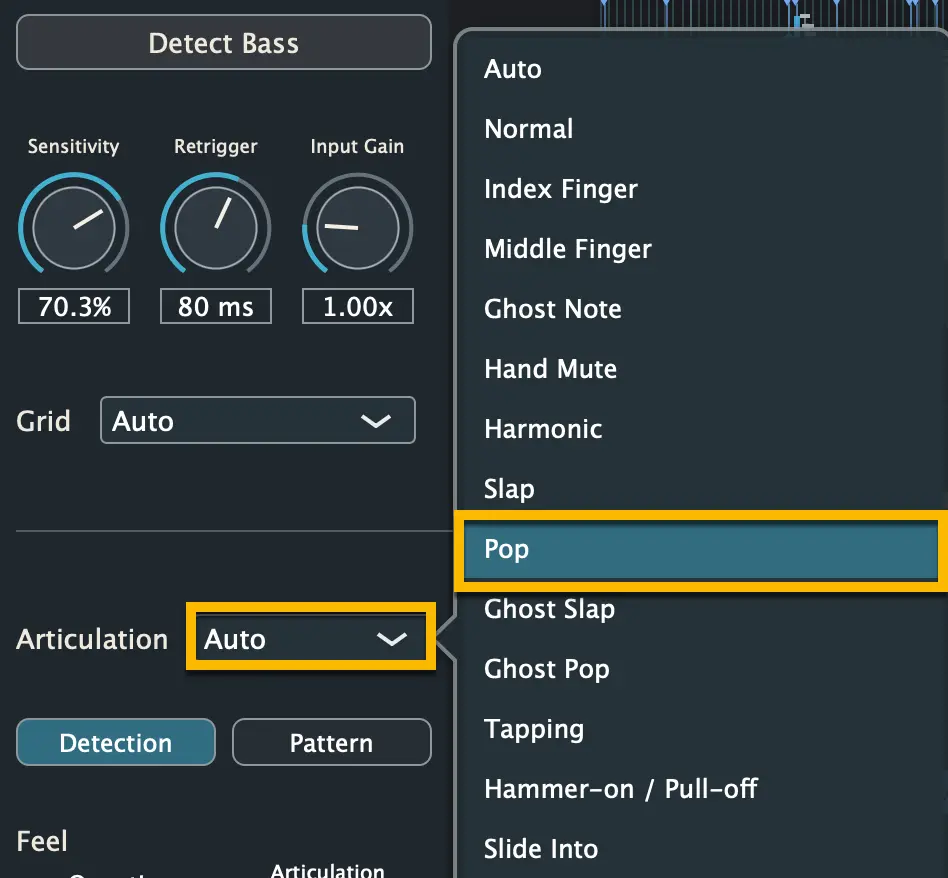
Leave Articulation on Auto, or choose how the notes are played: index or middle finger, ghost notes, hand mutes, harmonics, slap and pop, tapping, hammer-ons and pull-offs, slides and more.
Studio maps the articulations to your bass instrument’s key switches automatically.
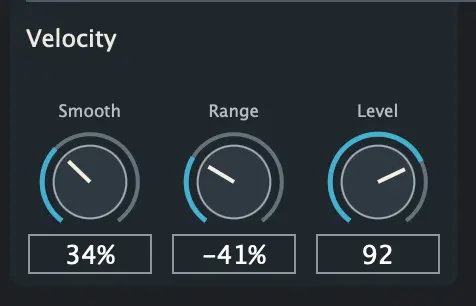
Use three controls to adjust MIDI velocity: even out repeated notes, change the contrast or adjust the overall strength.
How evenly should each hit repeat, bar to bar?
Smooth evens out repeated notes while keeping their accents.
How much contrast between soft and loud?
Range widens or narrows the difference between soft and loud notes.
How hard should the part play overall?
Level raises or lowers the velocity of the whole part.
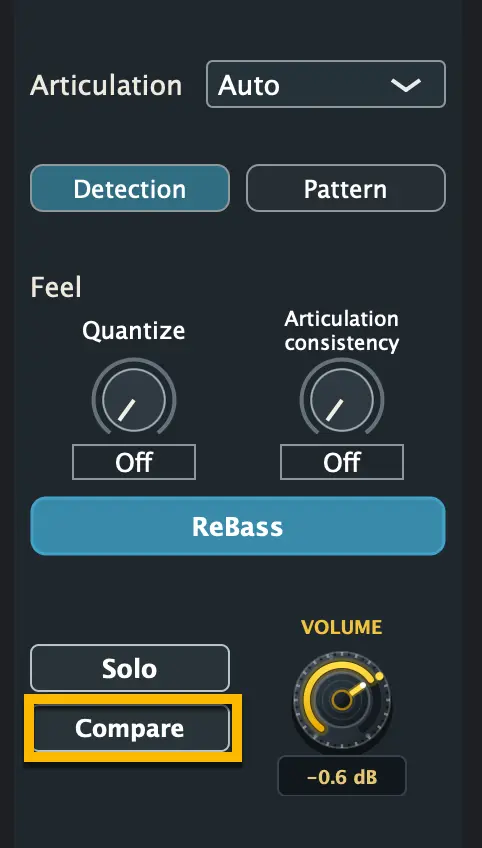
ReBass turns the bass performance into notes on a piano roll. Smart Quantize tightens timing while keeping connected notes and intentional gaps. Choose slides and mutes from the note menu.
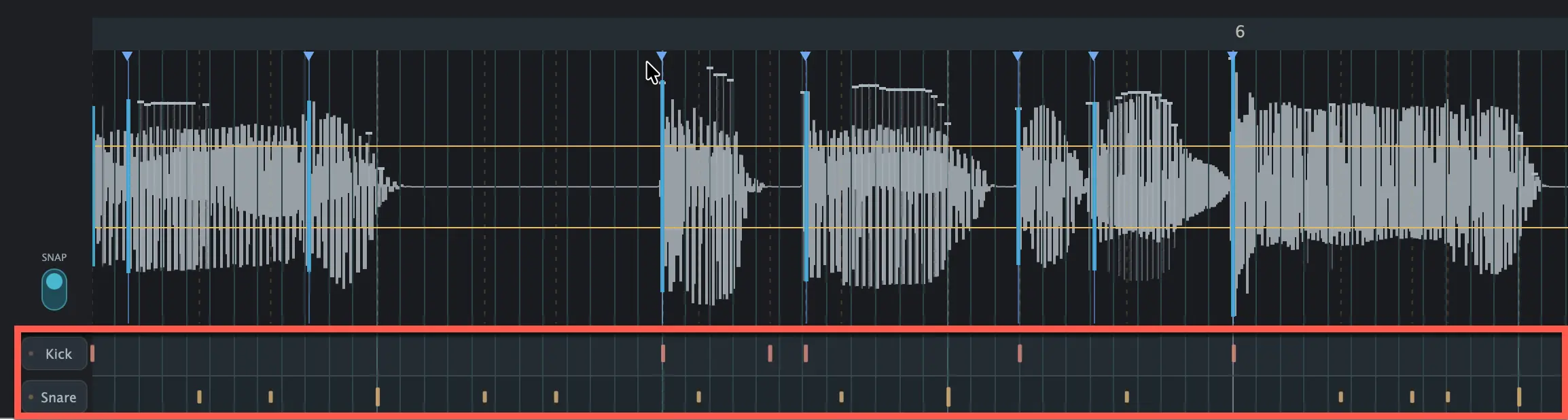
Kick and snare lanes sit below the bass waveform. Use Snap to line up bass notes with the drums.
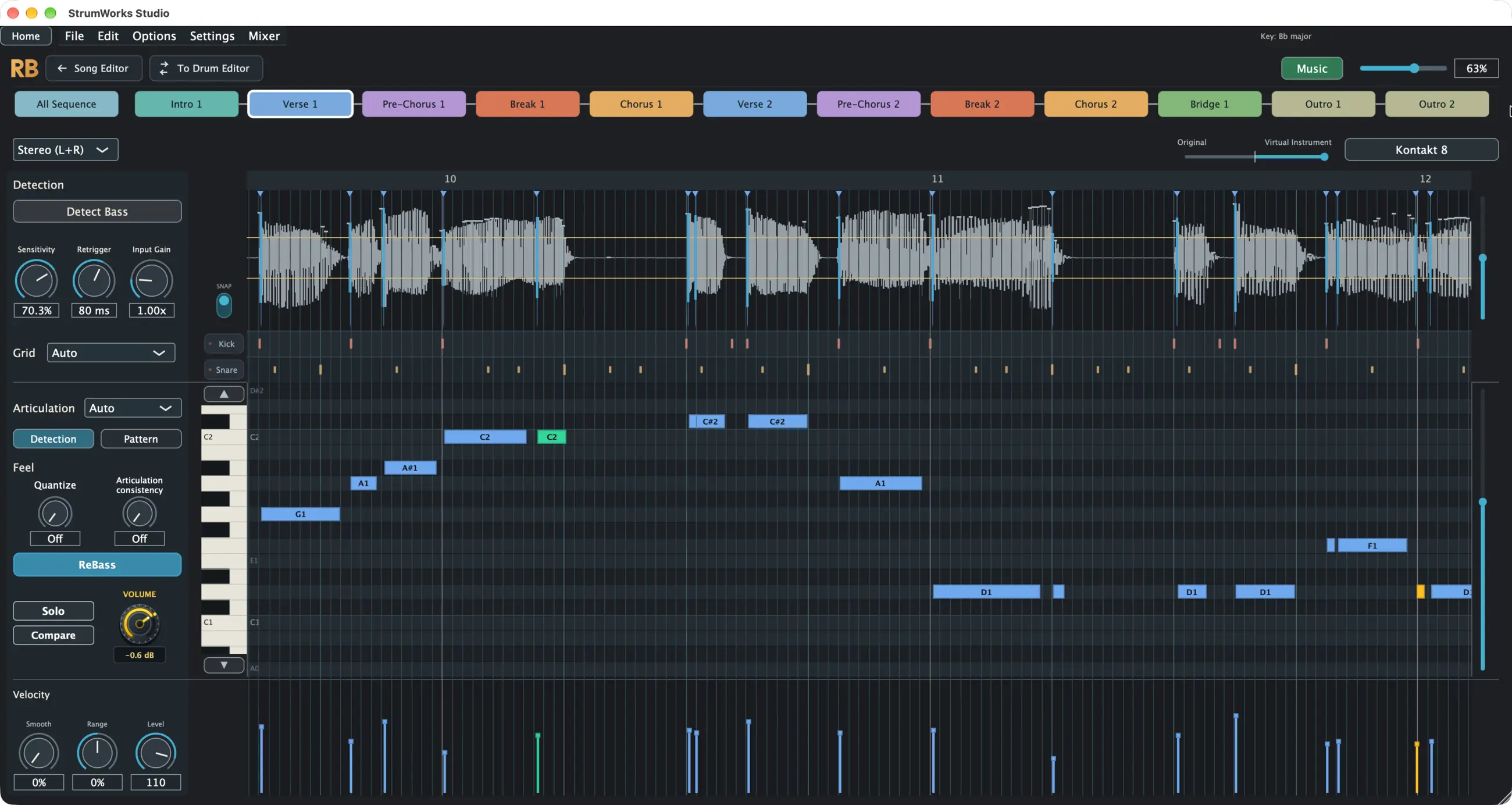
Watch a song go from stems to an edited drum and bass part, then into the DAW.
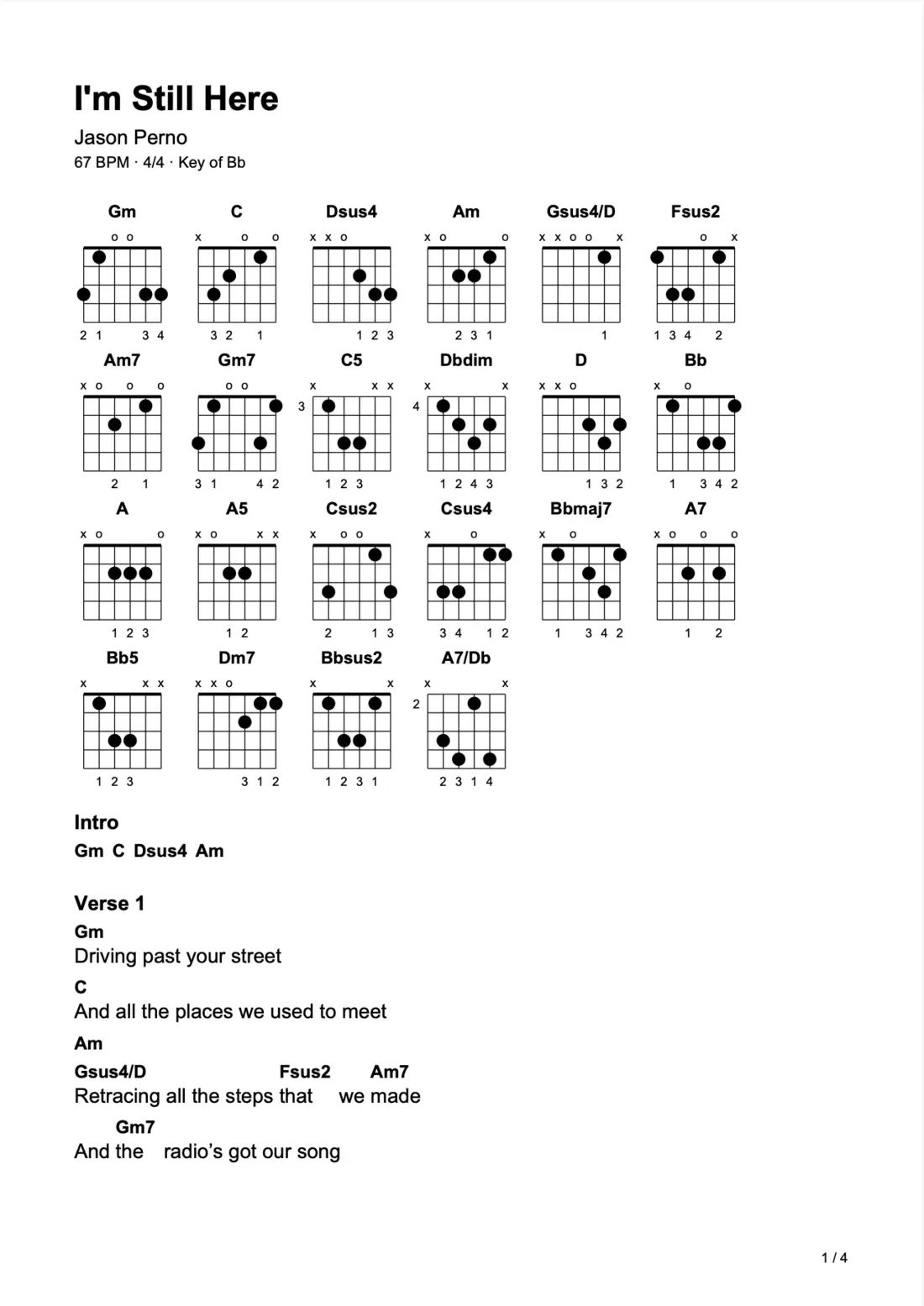
Back to top →ReChart detects chords and aligns your lyrics with the vocal, all in the same song project. Export a chart for rehearsal, recording or the stage.
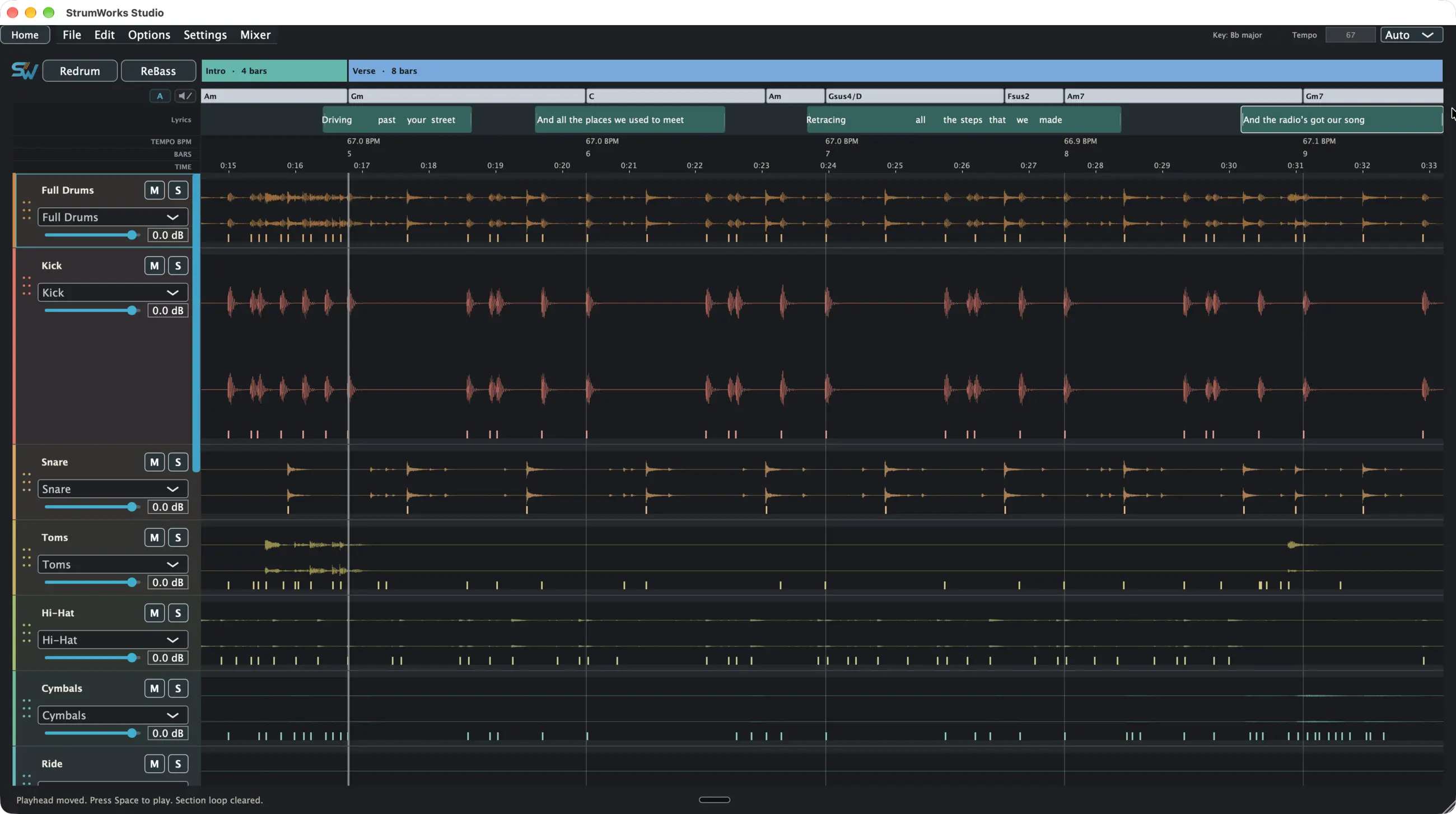
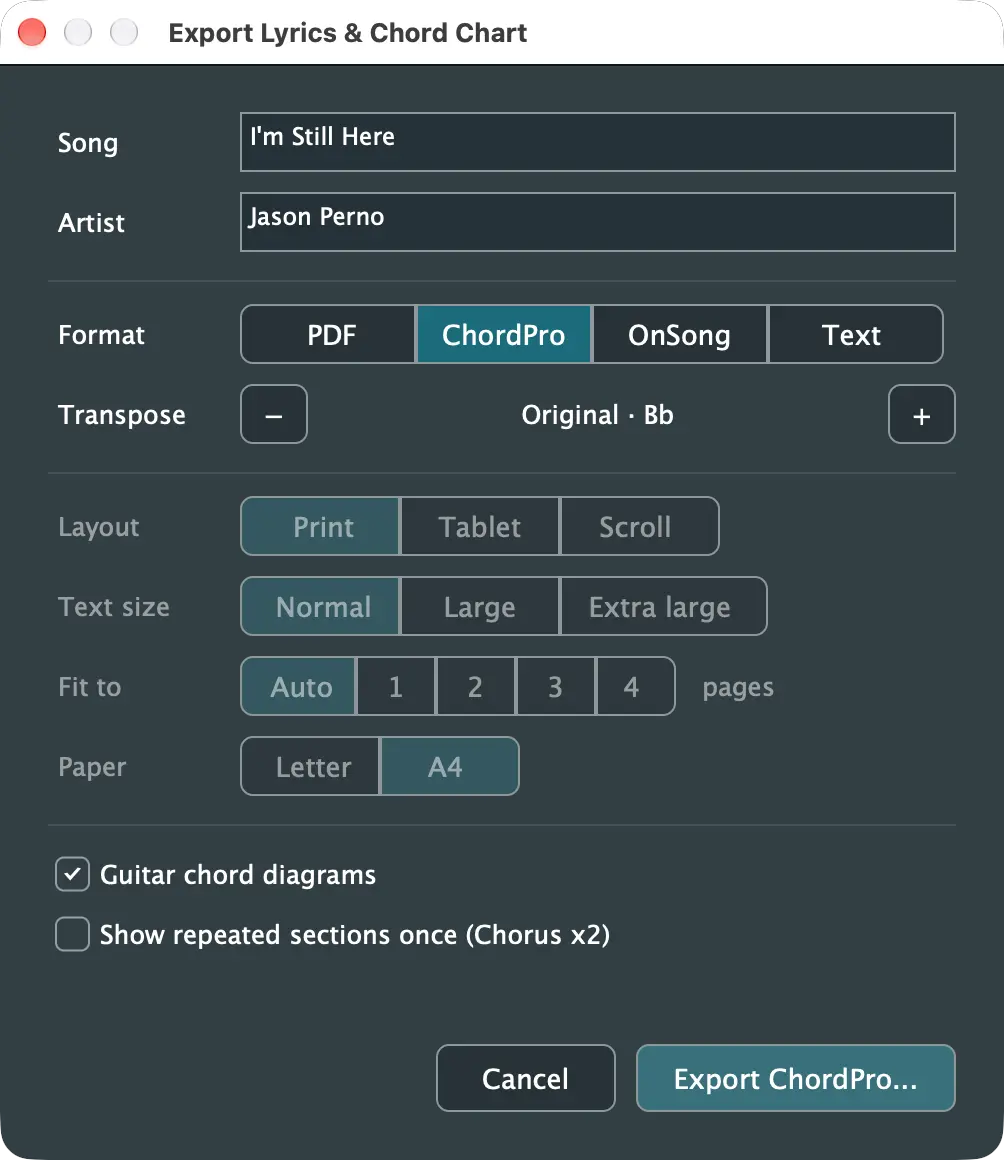
Transpose to the singer’s key. Choose a print, tablet or scrolling layout, add guitar chord diagrams and fit your PDF to one to four Letter or A4 pages.
Automatic lyric alignment works with English lyrics and needs the optional Lyrics Tools download. ReChart doesn’t write lyrics or melody notation.
Each of these tools does part of the job well. Studio takes the whole song from stems to finished drums, bass and charts.
| Feature | StrumWorks Studio | Yurt Rock Pick Pocket | WaveMachine Labs ReStem 2 | Toontrack EZdrummer 3 / EZbass | Aurally Sound Prism | Hit’n’Mix RipX DAW |
|---|---|---|---|---|---|---|
| Converts drum audio into MIDI | ✓ Yes | ✓ Kick, snare, hi-hat only | ✓ Pro edition | Matches a groove instead | No, not yet | Not stated for drums |
| Converts bass audio into MIDI | ✓ Yes | No | No | ✓ Yes | ✓ Yes | ✓ Yes |
| Locks bass to your kick and snare | ✓ Yes | No | No | Follows drum MIDI | No | No |
| Works through the whole song, section by section | ✓ Yes | 2 to 8 bar loops | Whole song, no sections | Whole song, no sections | No | Whole song, no sections |
| Repairs notes lost in stem separation | ✓ Yes | Manual edits | No | No | No | No |
| Generates grooves and fills | ✓ Yes | No | No | ✓ Groove library | No | No |
| Plays through your own drum and bass instruments | ✓ Any, auto-mapped | Exports for 7 drum maps | MIDI out only | Built-in sounds | Built-in piano sampler | ✓ Any VST via MIDI |
| Chord and lyric charts | ✓ Yes | No | No | No | No | Shows chords, no lyrics |
| Splits a mix into stems | No | No | ✓ Yes | No | No | ✓ 6+ stems |
| Price (USD) | $79 launch, then $129 | $49 | $99 Core, $199 Pro (MIDI) | $179 each | $79 launch, then $99 | $99, $198 Pro |
| Free trial | Export locked | Export locked | 7 days | 10 days | 21 days | 21 days |
Based on each company’s published product pages, October 2026. Features and prices change, so check with each maker. Product names are trademarks of their owners.
Review what you’re buying and the price before you check out.
Pay securely. Your receipt arrives by email.
Your download and license key are ready as soon as the order is confirmed.
Enter your key in the app. If you started in the demo, keep working on the same songs.
Try every tool on your own songs, with no time limit. Only export is locked.
Buy a license and enter the key in the demo you already have. Your songs carry straight over.
One license allows three active computers. Use Purchases & Licenses to deactivate an old computer and free a slot.
Everything except export, with no time limit. A license unlocks MIDI files, MIDI out and chart exports in the same app. Keep working on the projects you started in the demo.
No. Studio starts from stems you already have: multitrack recordings, or stems you separated with another tool. Separate drum stems (kick, snare, hats and so on) give the most detailed results.
Yes. Load your own drum and bass virtual instruments to hear and export the MIDI with the right maps. You can switch libraries without rewriting the notes.
No. Studio works with conventional recordings, multitracks and separated stems. If you made a cover or arrangement in an AI music service, you can bring its stems in too. Studio itself doesn’t use AI to write your parts.
A whole-song MIDI file with a track per drum plus bass, tempo information, section markers and the articulations from your chosen instrument maps. Your DAW’s import settings decide how tracks and tempo come in.
Supported computers and OS versions will be confirmed before launch.